All articlesComparison
HuHu AI Is Gone: 7 Best Alternatives for AI Fashion Photography
The service shut down in 2026. Where brands are moving their on-model production — and what to check before switching.

HuHu AI is gone, and it is not the only one: several AI fashion imaging services launched between 2022 and 2024 have since closed or pivoted. If your product pages, marketplace listings or paid social creative depended on one of them, the interesting question is not “what looked closest to it” but “what will still be here when the autumn drop lands”.
This is a switching guide rather than a leaderboard. Positioning in this category changes quickly, so treat every description below as a starting point and verify current capability against your own garments.
First, decide what you are actually replacing
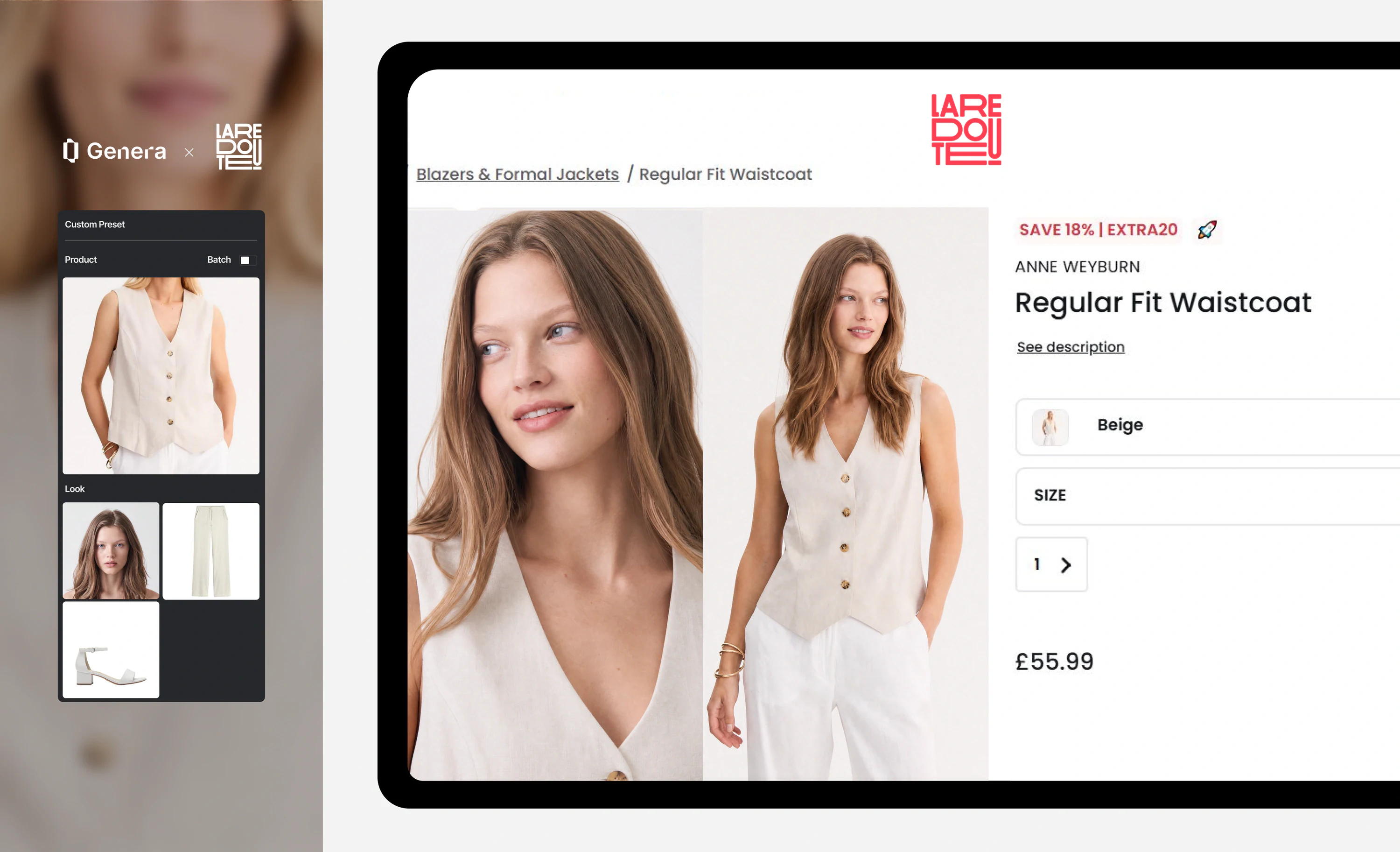
Most teams used HuHu-style tools for one of three jobs, and the right replacement differs for each:
- On-model PDP imagery — a packshot, flat lay or ghost mannequin shot turned into a person wearing the garment. This is the hardest job, because the garment has to stay identical.
- Backgrounds and cleanup — cutouts, shadows, colour correction, simple scene replacement. The garment already exists on a model or mannequin.
- Campaign and lifestyle visuals — a mood, a location, a story. Accuracy still matters, but so does art direction.
Teams that skip this step end up with a tool that makes beautiful moodboards and cannot reproduce a knit.
Write down which of the three you need before you look at a single demo.
The seven alternatives
1. Genera.Space — enterprise on-model production
Built for fashion brands producing at catalogue scale: garment replication from your own references, AI fashion models, PDP cards, lookbooks and campaign imagery in one system, with approvals and enterprise integration. Around 100 final-ready images in roughly 15 minutes, $0.25–1.50 per image. Best fit if the job is on-model PDP production and you care about consistency across seasons. See the platform overview or the use cases.
2. Botika — SMB-focused on-model imagery
One of the better-known services aimed at smaller e-commerce teams that want model shots without a studio. Worth a look if your catalogue is measured in dozens rather than thousands of SKUs, and if self-serve matters more than integration.
3. WearView — virtual try-on and on-model visuals
Positioned around putting garments on models and try-on style visuals. Check how it handles your hardest categories — structured outerwear, knitwear, sheer fabric — before you assume it covers the catalogue.
4. A general product-image tool (Photoroom, Pebblely and similar)
Excellent at backgrounds, cutouts and clean product shots; not built to reconstruct a garment on a body. If job two on the list above is what you actually needed, this tier is cheaper and simpler than an on-model platform.
5. A creative-first generator (Flair, Midjourney-style workflows)
Fast for mood, campaign concepts and social creative. The trade-off is control: without garment replication you cannot promise the coat in the image is the coat in the warehouse, so keep these outputs away from the PDP.
6. Your existing studio, running fewer, bigger shoots
Not every brand should replace photography. A realistic pattern is to shoot two or three anchor sessions a year for brand campaigns and generate the long tail — new colourways, restocks, regional variants — in software.
7. In-house 3D and rendering
If you already have 3D assets in the design pipeline, rendering can serve PDP imagery. It is the most expensive route to set up and the cheapest to repeat, which makes it interesting for brands with long-lived core products rather than fast fashion.
The seven checks to run before you migrate
However you choose, run the same evaluation. Send each candidate the same five garments — including a knit, something structured, and something with a print — and grade the results:
What survives a vendor closing is the thing you own: a documented visual system that any capable platform can be pointed at.
- Garment accuracy. Is the print at the right scale? Are the seams, closures and trims in the right place? This is where most tools fail, and it is the only failure customers notice.
- Consistency across a batch. Generate the same garment twenty times. If lighting, crop and model drift, you do not have a production system.
- Model rights. Who owns the likeness, what is licensed, and for how long? Get it in writing, especially if the faces are digitised real talent.
- Output specifications. Resolution, formats, colour profile, transparency. Marketplace rules are unforgiving.
- Workflow fit. Approvals, comments, user roles, DAM export, API. A tool that produces good images and no audit trail will not survive contact with a merchandising calendar.
- Real throughput and cost. Not the headline price — the price for your volume, including regenerations and the review time your team spends.
- Vendor durability. Funding, customer base, roadmap, and what happens to your assets if the service closes. That question is not paranoia in this category; it is the reason you are reading this article.
Do not migrate everything at once
Run a pilot of 20–50 SKUs, weighted toward your hardest categories, and keep the old imagery live until the new pipeline clears QA. Compare on conversion and return rate, not on which image the team likes most.
The tools will keep changing. Document the visual system first — casting, poses, backgrounds, lighting, crops, naming — and the next shutdown is an inconvenience rather than a crisis.
Related reading: Best AI Fashion Model Generators in 2026 and How Much Does a Fashion Photoshoot Cost in 2026?.
FAQ
02- Why did HuHu AI shut down?
- Public statements were brief, and the company did not publish a detailed post-mortem. What matters commercially is the pattern: several AI fashion imaging services have closed or pivoted since 2024, so the durability of the vendor is now part of the buying decision.
- Can I move my existing prompts and presets to another platform?
- Almost never directly. Prompts are platform-specific. What does transfer is the underlying brand direction — model casting, poses, backgrounds, lighting, crops — so keep that documented outside any single tool.
- How long does migrating a catalogue usually take?
- Plan for a pilot of 20 to 50 SKUs across your hardest categories before committing the full catalogue. That pilot, not a demo, is what tells you whether accuracy and consistency hold at your volume.


